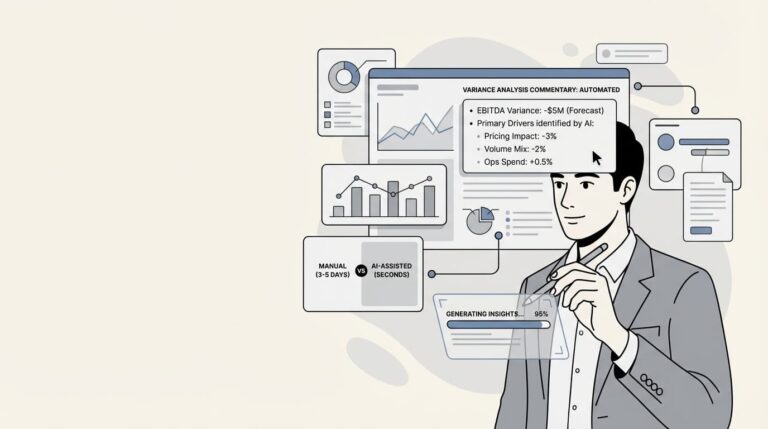
Close week hits. The GL finally settles. Your team pulls actuals into Excel, lines them up against budget, and starts the familiar process: build the variance waterfall, test whether the miss was pricing or volume, check if mix shifted, validate assumptions with operations. Three to five days later, you have an answer. Just in time for the next question.
The CFO asks, “Why are we $5M (₹40+ crore) below EBITDA forecast?” The honest answer: “Give me until tomorrow.”
That question should take seconds, not days. AI-powered variance analysis doesn’t just make this process faster. It transforms how finance teams work, shifting the focus from data preparation to strategic insight that leadership can act on immediately.

By the end of this guide, you’ll have specific prompts, workflows, and a 30-day implementation plan to generate variance commentary in minutes instead of days. No coding required.
What you will need to get started
You don’t need a specialized FP&A platform or a data science team to start using AI for variance analysis. Here’s what you actually need:
Tools: ChatGPT, Claude, or your preferred LLM. The free tier works fine for most variance analysis tasks.
Data: Budget versus actuals in CSV or Excel format. You will want department, account, actual amount, budget amount, and variance columns at minimum.
Optional but helpful: Python in Excel or Google Colab if you want deterministic calculations alongside AI analysis.
The real prerequisite: A mindset shift from “building every analysis from scratch” to “guiding AI-generated insights.” The AI handles the grunt work. You provide the judgment.
Understanding the traditional variance analysis
Let’s break down why traditional variance analysis takes so long. It’s not because the math is complicated. It’s because the process is sequential.
When you analyze variance manually, you form a hypothesis, build a model to test it, validate the results, and repeat. By hypothesis four or five, you have found something defensible. So you stop looking. But drivers hiding in dimensional intersections, like Product A in Region B through Channel C, often go completely undetected.
According to Tellius, finance teams typically spend 3-5 days per close cycle on variance investigation alone. Senior analysts dedicate 30-40% of their time to this work. That’s capacity being consumed by tasks that are fundamentally automation-ready.
Then there is the narrative tax. After you have finished the analysis, you still need to write commentary explaining the numbers. Board decks, CFO reports, business reviews. All require written explanations that get rewritten from scratch every single cycle.
The consistency problem makes this worse. Different analysts build different models using different formulas and assumptions. Finance variance numbers do not match the planning tool numbers, which do not match department self-reported numbers. Reconciliation eats another day.
The cost is not just time. It is delayed decision-making. By the time you have identified a $2M cost overrun, the quarter is already closing. The window for corrective action has passed.
Step 1: Prepare your variance data for AI analysis
AI can work wonders, but it needs clean inputs. Here’s how to structure your data for the best results.
Required data structure:
- Department or Cost Center
- Account or Line Item
- Actual Amount
- Budget Amount
- Variance (Actual – Budget)
- Variance % (Variance / Budget)
Add context for better analysis:
- Prior Period Actuals (for trend context)
- Year-to-Date Totals
- Prior Year Comparison
Data formatting tips:
- Use clean headers without special characters
- Keep currency formats consistent
- Avoid merged cells (they break CSV exports)
- Include one row per department-account combination
Step 2: Use these proven prompts for variance
Now for the practical part. Here are four prompts you can copy, paste, and use immediately. Each serves a different purpose in the variance analysis workflow.
Prompt 1: Initial variance analysis
Use this for your first-pass analysis during monthly close:
“Act like a financial analyst. Review this budget versus actual report. For each variance over 15%, explain the possible cause, suggest 1 follow-up question, and rank impact level (Low/Medium/High). Return in table format.”
This prompt gives you a structured starting point. The AI flags significant variances, offers explanations based on patterns in the data, and suggests where to dig deeper. The impact ranking helps you prioritize which variances need immediate attention.
Prompt 2: Executive summary generation
Use this for board decks and leadership updates:
“Summarize the key variances in 3-4 bullet points suitable for a CFO update. Focus on material items over $50,000 and highlight any trends versus prior periods. Include one sentence on recommended actions for the top 2 variances.”
Executives don’t need the full detail. They need the headline, the number, and the action. This prompt forces the AI to distill complex analysis into decision-ready insights.
Prompt 3: Root cause drill-down
Use this when you need to understand a specific variance in depth:
“The Marketing variance of $145K versus $120K budget is driven by Digital Ads. Analyze what underlying operational issues could explain this 21% overrun. Consider seasonality, campaign timing, vendor pricing changes, and headcount additions. Recommend 2-3 specific actions to address the root cause.”
The key here is providing context. The more background you give the AI about the business, the better its analysis. Mention factors relevant to your industry or company.
Prompt 4: Price/Volume/Mix decomposition
Use this for revenue variance analysis:
“Decompose the revenue variance into price, volume, and mix effects. Calculate the dollar contribution of each component and the percentage impact on total variance. Explain the business drivers behind each component and which had the biggest impact.”
Price/Volume/Mix analysis traditionally takes 1-2 days of Excel formula work. AI can do the decomposition in seconds and explain what the numbers mean.
Check if your resume is ATS-friendly with Resume Scorer.
Step 3: Validate and refine AI-generated
Here’s the critical part that many teams miss. AI generates drafts. Humans verify and refine. This isn’t optional. It’s essential.
The human-in-the-loop approach:
- AI generates the initial analysis and commentary
- You verify explanations against source data and institutional knowledge
- You refine language for your company’s tone and terminology
- You add strategic context that AI can’t know
Red flags to watch for:
- Hallucinated explanations (sounding reasonable but factually wrong)
- Incorrect math (always spot-check calculations)
- Missing context (one-time items, acquisitions, restatements)
- Generic language that could apply to any company
Cross-check methodology:
- Pick 2-3 variances from the AI output
- Manually verify the numbers match your source data
- Check whether the AI’s explanation aligns with what you know about the business
- If the AI suggests “increased vendor costs,” confirm with procurement
When to override the AI:
- Novel situations the AI has not seen in training data
- One-time items or exceptions
- Strategic decisions that require business context
- Anything involving forward-looking judgment
Bottom line? The AI gets you 80% of the way there in 10% of the time. Your expertise covers the remaining 20% that actually matters.
Step 4: Build your AI-assisted variance workflow
Don’t try to transform everything overnight. Here’s a 30-day adoption plan that actually works.
Week 1: Pilot with one department
Choose a single business unit for testing. Marketing or Sales usually works well because they have clear metrics and engaged stakeholders.
Run parallel analysis. Do variance commentary your traditional way, then run the same analysis with AI. Compare results. Document where AI saves time and where it misses nuance.
Track time spent on each approach. Most teams find AI reduces commentary writing from hours to minutes.
Week 2: Expand to full close
Apply AI commentary to all departments. Create template prompts for recurring analyses like revenue variance, OpEx review, and departmental deep-dives.
Train your team on validation protocols. Everyone should know the red flags to watch for and the cross-check process.
Week 3: Integrate with existing processes
Embed AI-generated commentary into your management reports. Don’t create separate AI reports. Fold the outputs into formats your leadership already expects.
If possible, set up automated data pulls from your ERP or planning system. The less manual data prep, the better.
Document standard operating procedures. What prompts do you use? What’s your validation checklist? How do you handle edge cases?
Week 4: Optimize and scale
Refine prompts based on feedback. Add company-specific terminology. Include prior period context for trend analysis.
Present results to leadership. Show time savings, consistency improvements, and faster turnaround on CFO questions.
Identify the next automation candidates. Forecasting? Scenario modeling? Cash flow analysis? The same approach applies.
Common mistakes and how to avoid them
After talking with dozens of FP&A teams implementing AI, here are the mistakes that come up most often.
Mistake 1: Blindly trusting AI explanations
The AI will confidently explain variances with reasonable-sounding reasons. Some will be right. Some will be hallucinated. Always cross-check against source data.
Fix: Build validation into your workflow. Every AI-generated explanation needs a human sanity check before it goes to leadership.
Mistake 2: Using generic prompts without context
The default prompts work, but they’re generic. They don’t know your company’s terminology, your industry’s seasonality, or your specific cost drivers.
Fix: Customize prompts with company-specific context. Include prior period data. Mention known business drivers. The more context, the better the output.
Mistake 3: Trying to automate 100% on day one
Some teams try to go from zero to fully automated commentary in a week. It does not work. You need time to learn what the AI does well and where it struggles.
Fix: Start with 50% AI-generated, 50% human-written. Gradually shift the ratio as you build confidence.
Mistake 4: Ignoring data quality issues
AI cannot fix bad data. If your actuals are wrong, your budget is outdated, or your allocations are inconsistent, AI will generate wrong analysis faster.
Fix: Clean your data before AI analysis. Fix known issues with actuals, budget versions, and mapping tables. The AI is only as good as what you feed it.
When to use AI vs. specialized FP&A platforms
You have two options for AI-powered variance analysis. Here’s how to choose.
General AI tools (ChatGPT, Claude):
- Best for: Smaller teams, commentary generation, quick wins
- Pros: Immediate availability, no implementation, low cost
- Cons: No integration with financial systems, manual data uploads, limited governance
Specialized FP&A platforms (Tellius, Cube, Pigment):
- Best for: Enterprise teams, continuous monitoring, governance requirements
- Pros: ERP integration, automated data pulls, governed definitions, proactive monitoring
- Cons: Implementation timeline (8-12 weeks), cost, change management
Decision framework:
- Team size under 5, simple cost structures: Start with ChatGPT/Claude
- Team size 5-20, moderate complexity: Hybrid approach, general AI for commentary, existing tools for data
- Team size 20+, complex multi-entity structures: Evaluate specialized platforms
Measuring success: ROI of AI variance analysis
How do you know if this is working? Track these metrics.
Time savings:
- Hours per close cycle spent on variance analysis (before vs. after)
- Time to answer CFO questions (days to hours to minutes)
- Analyst capacity freed up for strategic work
Quality metrics:
- Time to root cause identification
- Variance detection accuracy
- Consistency of explanations across analysts
Business impact:
- Faster decision-making on budget adjustments
- Earlier intervention on cost overruns
- Reduced quarter-end surprises
Start automating your variance analysis today
Let’s recap what we’ve covered.
AI does not replace financial analysts. It elevates them. The technology handles data processing, pattern recognition, and initial commentary drafts. Humans provide strategic interpretation, contextual judgment, and stakeholder communication.
The teams that adopt AI for variance analysis now will operate at 2-3x the speed of teams that do not. Not because they are working harder, but because they are working differently.
Your next step is simple. Pick one prompt from this guide. Try it on last month’s variance data. Compare the AI output to what you produced manually. Measure the time difference. Check the quality.
Then decide: Is this worth scaling?
For most FP&A teams, the answer is yes. The question isn’t whether AI can help with variance analysis. It’s how quickly you can implement it.
Create an ATS-friendly resume with Resume Builder.
Also read: Unmasking shell companies: A step-by-step guide to tracing “Dummy” directors and fund flows
Frequently Asked Questions
Q1 Can ChatGPT actually do variance analysis for FP&A?
A1: Yes, ChatGPT can analyze variance data and generate commentary, but with important limitations. It excels at pattern recognition, explaining variances in plain language, and drafting executive summaries. However, it cannot directly connect to your ERP or planning systems. You’ll need to export data to CSV or Excel first. For deterministic calculations, combine ChatGPT with Python in Excel or Google Colab for a hybrid approach that gives you both intelligence and accuracy.
Q2 How do I write a good variance analysis commentary using AI?
A2: Start with a structured prompt that tells the AI its role (“Act like a financial analyst”), specifies the output format (table, bullet points, narrative), and sets materiality thresholds (“Focus on variances over 10%”). Include context like prior period data, budget assumptions, and known business drivers. Always validate AI-generated explanations against your institutional knowledge before sending commentary to leadership. The best commentaries combine AI-generated drafts with human refinement for accuracy and tone.
Q3 How accurate is AI-generated variance commentary?
A3: AI-generated commentary is often directionally correct but still requires human validation. The AI excels at identifying patterns, calculating variances, and generating plausible explanations. However, it can hallucinate causes, miss one-time items, and lack strategic context that humans possess. Always implement a human-in-the-loop workflow where AI generates drafts and finance professionals verify, refine, and approve before distribution.
Q4 Will AI replace FP&A analysts?
A4: No. AI automates data processing and initial analysis, but it cannot replace human judgment in FP&A. According to Cube Software, AI increases the influence of FP&A by freeing analysts from manual tasks to focus on strategic insights. The role shifts from “building variance reports” to “interpreting variance drivers and advising leadership.” Teams that embrace AI are better equipped to guide strategy and respond to change.